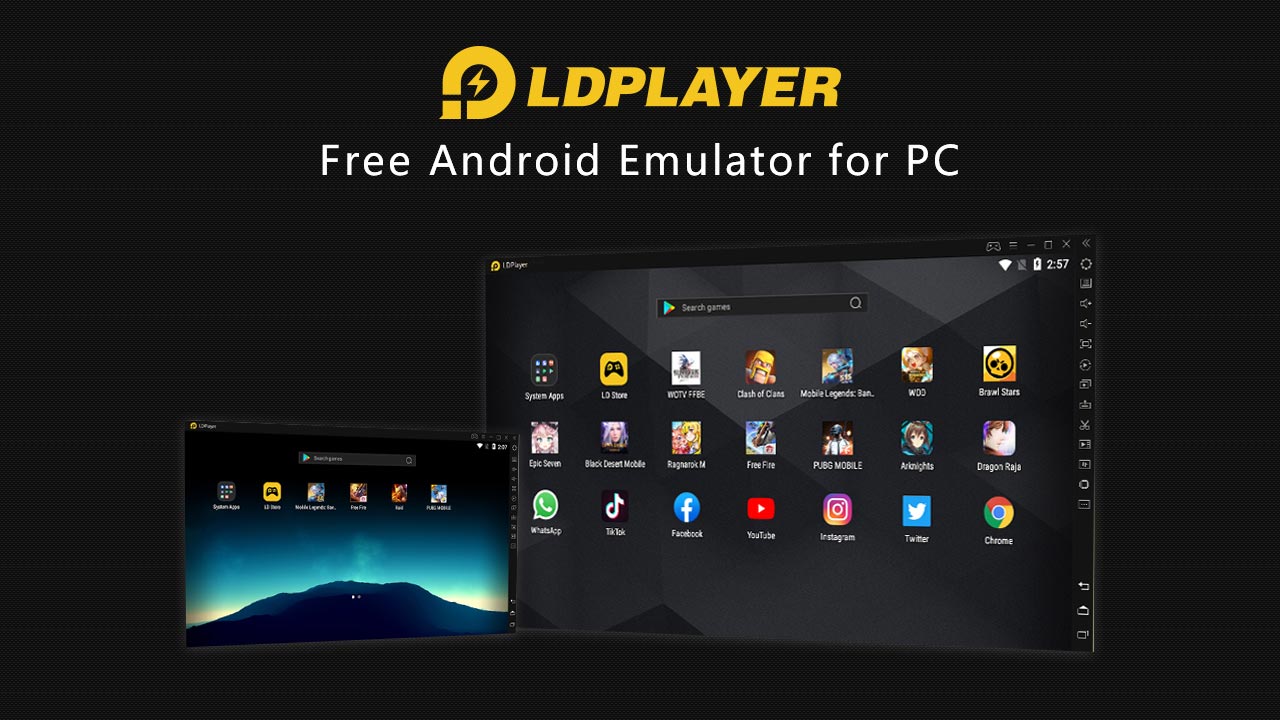
LDPlayer is a free Android emulator you install on your Windows PC to run Android apps and games like Free Fire, BGMI, Call of Duty Mobile, etc., right on the big screen with keyboard/mouse control. It’s optimized for gaming but works for general Android apps too. This is a detailed review of LDPlayer to help you decide if it’s worth using over other emulators.
Performance and Speed
LDPlayer is well known for being fast and lightweight, making it a pretty efficient Android emulator even on lower-end PCs, and it often runs smoother than bulkier options like BlueStacks.
It also offers solid FPS support, letting you push higher frame rates for better responsiveness than you’d usually get on a phone. On top of that, it’s designed to use fewer CPU and GPU resources, so your system doesn’t overheat or lag.
While some users do experience occasional stutters with heavier games, the overall performance is still pretty solid as long as your PC meets the basic requirements.
Features, Game Controls, and Customization
LDPlayer really shines when it comes to gaming controls and convenience features. It offers advanced keyboard mapping, letting you assign precise controls for every action to make gameplay smooth and responsive on a PC.
If you like that console-style, it also supports gamepads, so you can literally plug in a controller and play comfortably. On top of that, it includes a macro recorder and task automation tools, which are very useful for repetitive in-game actions, especially in grind-heavy titles.
Plus, the multi-instance support lets you run multiple games or apps at the same time, making it perfect for multitasking or managing more than one account. Altogether, these features make LDPlayer very handy for gamers.
LDPlayer also includes a range of additional features that extend beyond gaming. You get virtual location or GPS spoofing, which is good for apps and games that depend on location access. It supports easy file sharing between your PC and the emulator, making it smooth to transfer data, media, or game files.
You can even tweak deeper system settings like CPU cores, RAM allocation, resolution, and enable root mode if you need more control. Plus, it has built-in Google Play support, so you can install apps normally without jumping through weird hoops.
These extras make LDPlayer useful not just for gamers but also for power users and anyone who wants more flexibility out of an Android emulator.
Different Versions of LDPlayer
LDPlayer supports multiple Android versions, including Android 5.1, 7.1, and even Android 9 (Pie), which makes it way more flexible and compatible with a wide range of apps and games.
This multi-version support is especially useful for newer titles and modern applications that need updated Android environments, as well as 64-bit games that won’t even run on older systems. Because of this, you get better stability, fewer compatibility issues, and a smoother experience overall
Safety and Privacy
Most sources say LDPlayer is safe if you download it from the official site, antivirus scans don’t flag it, and it doesn’t steal your data. But avoid sketchy download links.
How It Stacks vs Competitors
When it comes to competition, LDPlayer actually holds its ground pretty well. Compared to BlueStacks, it’s generally lighter, uses fewer system resources, and feels more comfortable to run on low-end PCs without turning them into a laggy mess.
When stacked against emulators like Nox or MEmu, LDPlayer offers a pretty similar feature set, but it often feels snappier and more responsive, especially for gaming-focused users who care a lot about smooth performance.
So if what you’re chasing is better speed, responsiveness, and an overall smoother experience, LDPlayer is definitely a solid pick among its rivals.
Downsides
User reviews of LDPlayer are honestly pretty mixed. While a lot of people appreciate its features and performance, there are also plenty of complaints about bugs, crashes, freezing, and overall unresponsiveness, especially on older PCs, with ratings averaging around 3 out of 5 on platforms like Trustpilot.
Some users also mention that the emulator can lag or even crash right after launching, which can be super frustrating. On top of that, there are reports of ads and occasional bloat, which isn’t shocking for a free emulator but still annoying to deal with.
Plus, to get the best performance, you usually need to enable hardware virtualization (VT-x/AMD-V) in your BIOS, and while that boosts speed, it can be a bit of a hassle for anyone who’s not very tech-savvy.
Final Verdict: Worth Using?
Pros
- Fast and smooth gameplay on many systems
- Great controls, macro, and multi-instance features
- Free and customizable
- Works on low-end machines better than some rivals (especially Lite versions)
Cons
- Some users encounter bugs/crashes
- Ads and bloat
- Needs virtualization enabled for best performance
Rating – 4/5
If you’re a PC gamer who wants to run mobile games bigger and smoother, LDPlayer is definitely one of the best free Android emulators out there. It’s performance-centric, customizable, and versatile, but it still has a few rough edges. So if you’re okay tweaking settings and maybe troubleshooting a bit, it’s a solid choice.