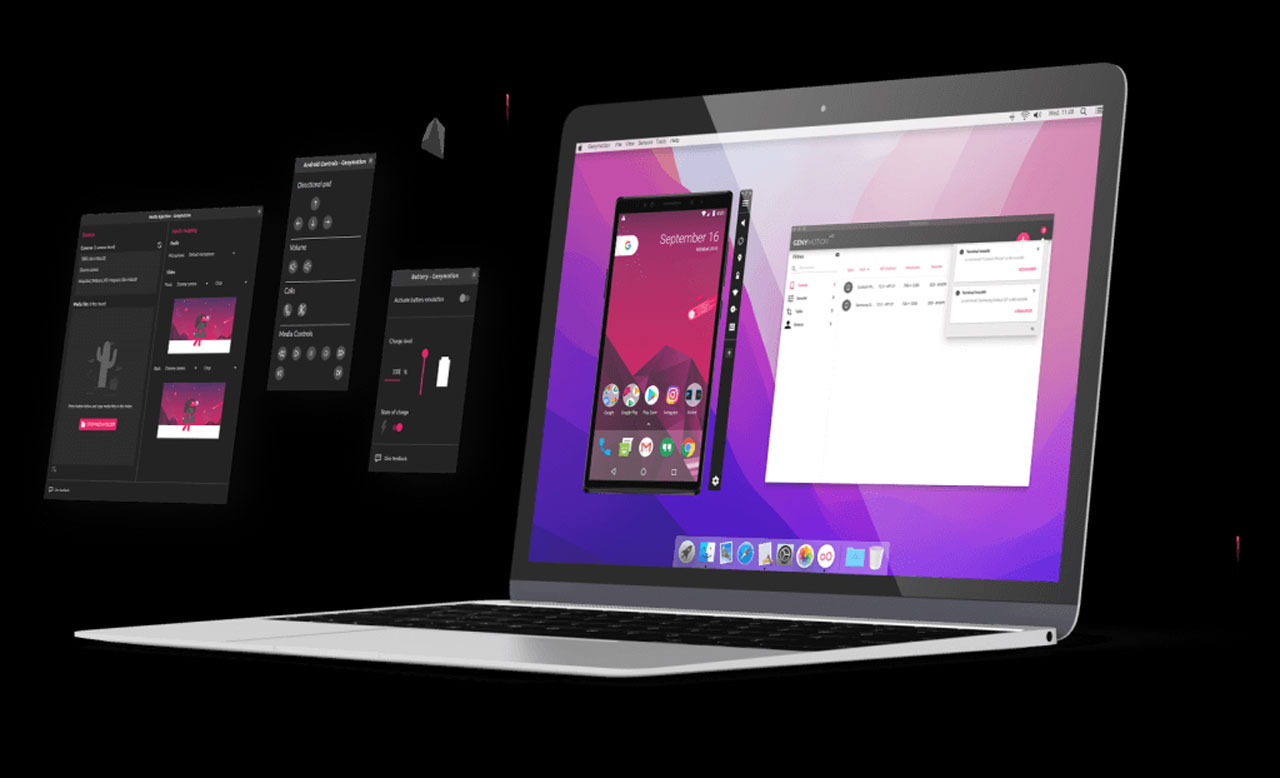
Genymotion is one of those Android emulators that is built for reliability and control. If you’re an app developer testing builds, a QA engineer stress-testing features, or looking for a smooth virtual Android environment, Genymotion can help you with that.
What is Genymotion?
Genymotion is a fast, virtual device emulator that lets you run Android on Windows, macOS, or Linux. Instead of pretending to be a phone like casual gaming emulators, it literally creates a full virtual Android device using hardware virtualization.
Genymotion isn’t just a PC app. It also has Genymotion Cloud, which lets you run Android in your browser or cloud services like AWS, Azure, and GCP. Basically, Android anywhere.
Key Features of Genymotion
Realistic Virtual Android Devices
You can pick from tons of Android versions like Android 5 to Android 14, with specific device models, screen resolutions, and hardware profiles.
Lightning-Fast Performance
Since it uses hardware virtualization via VirtualBox or cloud GPUs, it runs way smoother than many traditional emulators.
Android Studio Support
You can plug it directly into Android Studio and Test apps instantly. Debug, deploy, repeat. very developer friendly.
Sensors and Hardware Simulation
Genymotion lets you simulate:
- Battery levels
- GPS location
- Camera input
- Network changes
- Device rotation
- Multi-touch events
This is perfect for real-world testing.
Cloud and Browser Access
You can literally boot a virtual Android phone in your browser without any installation or complicated setup.
Different Versions of Genymotion
Genymotion Desktop – For Windows, macOS, and Linux
Genymotion Cloud SaaS – run in your browser. Simple login, create a device, and go.
Genymotion Cloud PaaS – Deploy on: AWS, Azure, and Google Cloud Platform
System Requirements
- 64-bit OS
- At least 8GB RAM recommended
- Virtualization enabled in the BIOS
- VirtualBox installed (for desktop version)
- Stable internet (for cloud)
How to Install Genymotion
- Go to the official Genymotion site and download the correct installer for your OS.
- If you don’t have it, install VirtualBox since Genymotion relies on it.
- Run the installer → Follow on-screen steps → Finish setup.
- Log in with your Genymotion account.
- Choose: Android version, Device model, and System image
- Download it and open your virtual Android
Performance Tips
You can boost Genymotion’s speed pretty easily by giving the virtual device more RAM and CPU so it has enough power to run smoothly, and using an SSD instead of a hard drive really helps with faster loading and overall responsiveness.
Make sure VirtualBox is always updated, since newer versions usually fix performance bugs and improve stability, and try to close heavy background apps so your system isn’t fighting for resources. Do all that, and the emulator will feel way snappier.
Pricing
Genymotion isn’t completely free like some other emulators, but it does give you a free trial to test things out before committing. After that, it has paid plans designed for both individual users and professional teams, along with separate pricing for its cloud-based services depending on how much power and scalability you need.
If you’re actually using it for serious development or testing work, the cost is pretty justified because the performance and tools you get are worth it.
Final Words
Pros
- Extremely fast and stable
- Perfect for developers & testing
- Cloud and Desktop flexibility
- Tons of device customization
- Professional-grade tools
Cons
- Not mainly for gaming
- Requires virtualization knowledge
- Paid beyond trial
- Slight learning curve
Genymotion is one of the cleanest and most powerful Android virtualization tools out there. If your goal is serious testing, development, automation, or scalable Android environments, this is absolutely worth using. It gives way more control, more precision, and better stability than most mainstream emulators.