Online collaboration tools are basically the glue that keeps modern teams together. These platforms let you chat, plan, share files, co-edit documents, brainstorm, and keep projects on track without endless emails or chaotic group chats.
They are a digital version of an organized office where everything and everyone stays in sync. Here are the Best Online collaboration tools you can try right now.
Slack
Slack is one of the most widely used communication platforms for teams that want fast, organized, and clutter-free messaging. It works through channels, so every project or group gets its own dedicated space for discussions.
It supports file sharing, voice notes, huddles, and a huge library of integrations with tools like Google Drive, Notion, Asana, GitHub, and more. Its threaded messaging keeps conversations neat, and the search system makes it super easy to find older messages or attachments. It’s perfect for teams that need constant communication without drowning in emails.
Microsoft Teams
Microsoft Teams brings chat, video meetings, and file collaboration into one environment. It’s deeply connected to the entire Microsoft 365 ecosystem, making it great for companies already using Word, Excel, OneDrive, or Outlook.
Teams supports channels, shared document libraries, and real-time co-editing using Office apps. Its video conferencing is strong, offering screen sharing, live captions, breakout rooms, and meeting recordings. For teams in corporate settings, Teams becomes a central hub where all communication and collaboration come together.
Google Workspace
Google Workspace offers one of the most seamless real-time collaboration experiences across documents, spreadsheets, and presentations. Tools like Google Docs, Sheets, and Slides allow multiple people to edit simultaneously, leave comments, and revisit detailed version histories.
Google Drive keeps files organized and accessible from any device, while Google Meet enables smooth video calls directly from the browser. Because everything syncs automatically and works inside the cloud, it’s ideal for teams that share, edit, and collaborate on files every day.
Microsoft 365
Microsoft 365 gives teams a mix of classic Office apps with modern cloud-based collaboration. Word, Excel, and PowerPoint support real-time co-authoring across devices, with OneDrive acting as the central storage hub.
Teams can work offline and sync changes later, which is especially useful for people who travel often or have limited internet access. Paired with Outlook and Microsoft Teams, it becomes a complete ecosystem for communication, documents, presentations, and scheduling, all tightly integrated.
Trello
Trello uses a simple board-and-card system that gives a visual way to plan tasks and track progress. Each board represents a project, and cards represent tasks, which can be moved across lists like “To Do,” “In Progress,” and “Done.”
You can add checklists, labels, deadlines, attachments, and comments to organize tasks fully. Trello’s simplicity makes it a favorite for smaller teams or personal project management, and its visual layout helps everyone instantly understand what’s happening in a project.
Asana
Asana is built for teams that need structure and clarity across multiple projects. It supports task assignments, timelines, dependencies, milestones, project dashboards, and automation rules that reduce repetitive work.
Asana’s layout can switch between lists, calendars, Kanban boards, or timeline views depending on your preference. Its notification system helps keep everyone on track without overwhelming them. It’s perfect for growing teams that want organized workflows and transparent progress tracking.
monday.com
Monday.com is one of the most flexible project management platforms available, offering highly customizable boards and workflows. You can track projects using timelines, Kanban-style boards, Gantt charts, or dashboards packed with data.
It supports automations for repetitive actions, integrations with tools like Slack and Drive, and detailed reporting. Monday.com is ideal for operations teams, marketing teams, and organizations with complex workflows that require customization and visibility.
ClickUp
ClickUp aims to be an “all-in-one” work platform by combining tasks, documents, chat, goals, dashboards, and mind maps in one place. You can customize everything, from task statuses and views to workspace layouts and automation rules.
It supports multiple project views such as lists, boards, calendars, Gantt charts, and workload views. ClickUp is a great fit for teams that want to consolidate several tools into a single ecosystem without losing flexibility.
Notion
Notion is a unique tool that brings notes, docs, databases, wikis, and project management into one customizable workspace. You can create pages for everything: knowledge bases, meeting notes, tasks, product roadmaps, and more.
Its database system allows filtered views, linked relationships, and templates that adapt to any workflow. Notion is perfect for teams that want a collaborative space where information, documentation, and tasks live together in one beautifully organized system.
Miro
Miro is one of the most popular digital whiteboards for remote brainstorming and visual collaboration. It offers templates for mind maps, flowcharts, sprint planning, customer journeys, and more.
You can drag sticky notes, draw diagrams, leave comments, or collaborate live on the same canvas. Miro is especially helpful for designers, product teams, strategists, and anyone who works visually. It recreates the whiteboard experience virtually, making remote workshops more interactive and energetic.
Figma
Figma is one of the most powerful design collaboration tools for UI and UX teams. It lets designers co-edit screens in real time, leave comments directly on elements, and build prototypes like real apps or websites.
Figma supports version control, design systems, component libraries, and multiplayer editing, which makes the entire design workflow smooth and transparent. It’s the go-to platform for modern product teams.
Figma FigJam
FigJam is a more playful, interactive brainstorming tool created by the makers of Figma. It’s designed for quick ideation, workshops, planning sessions, and team discussions. With features like stamps, sticky notes, shapes, emojis, and live cursors.
FigJam feels fun and informal, which helps teams think freely. It works amazingly alongside Figma, allowing design teams to move from brainstorming to actual design without switching platforms.
Canva for Teams
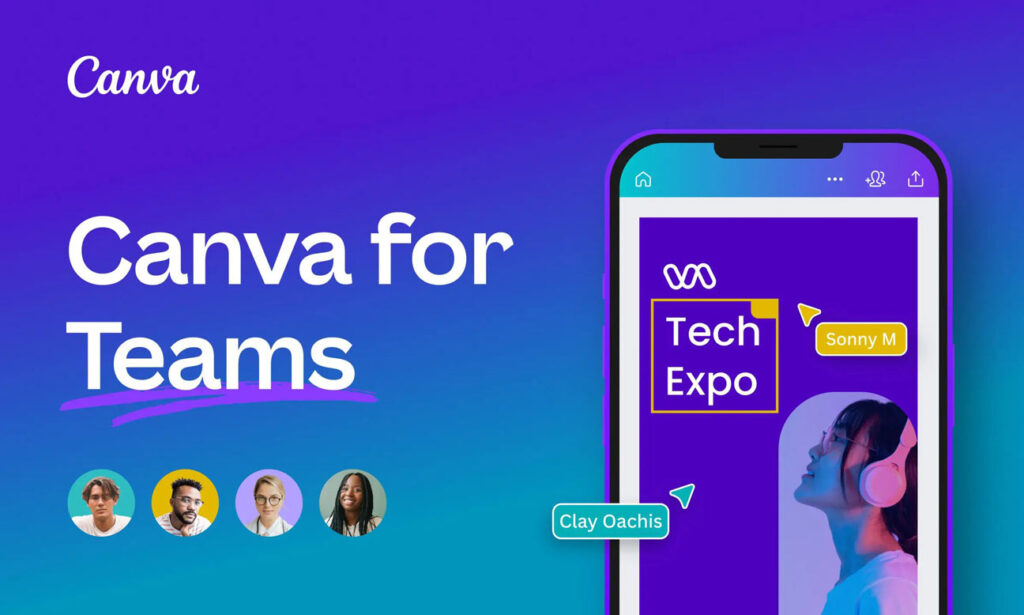
Canva for Teams makes graphic design accessible for everyone, especially marketing and social media teams. It offers shared brand kits, templates, presentation tools, and a collaborative editor where multiple people can work at once.
You can leave comments, assign tasks, and organize creative assets. It’s perfect for creating posts, banners, presentations, flyers, and quick visual content without needing advanced design skills.
Frame.io
Frame.io is built specifically for video collaboration. Editors can upload videos, and team members can review them with frame-accurate comments and visual annotations. It supports version stacking, side-by-side comparisons, and fast cloud transfers for large video files. Production teams use Frame.io to streamline feedback, approvals, and revision cycles, making the entire editing process much faster.
Dropbox
Dropbox is one of the most reliable platforms for cloud storage and file sharing. It focuses on clean organization, strong syncing, and easy access across devices. You can create shared folders, collaborate on documents, and track file version history.
Dropbox integrates with tools like Slack, Trello, Zoom, and Adobe apps, making it a strong choice for teams that handle lots of files.
Google Drive
Google Drive serves as the backbone of file storage inside Google Workspace. It keeps documents, images, videos, spreadsheets, and presentations synced across all devices. Shared Drives allow entire teams to manage files collectively, avoiding issues with personal ownership.
With built-in editing tools like Docs and Sheets, Drive becomes a complete collaboration environment rather than just a storage solution.
OneDrive
OneDrive gives Microsoft 365 users cloud storage with automatic syncing across Windows, Mac, and mobile devices. It integrates directly with Microsoft apps, enabling real-time co-editing, secure sharing, and file recovery.
For corporate teams, OneDrive offers enterprise-level permissions and compliance features that make it suitable for sensitive data and large organizations.
GitHub
GitHub is the leading platform for code collaboration and version control. It uses Git to track changes, manage branches, and support teamwork through pull requests and code reviews.
Developers can collaborate on software projects, manage issues, run automated workflows with GitHub Actions, and host documentation with Pages. It’s essential for tech teams working on shared codebases.
Choosing the Right Tool
Every collaboration tool shines in a different area, so the best choice depends on your team’s workflow. Some teams require strong communication, others need thorough document editing, and some rely on design, development, or project planning. The most effective approach is to combine a few tools. for example, Slack for chat, Google Workspace for documents, and Asana or Trello for task management.