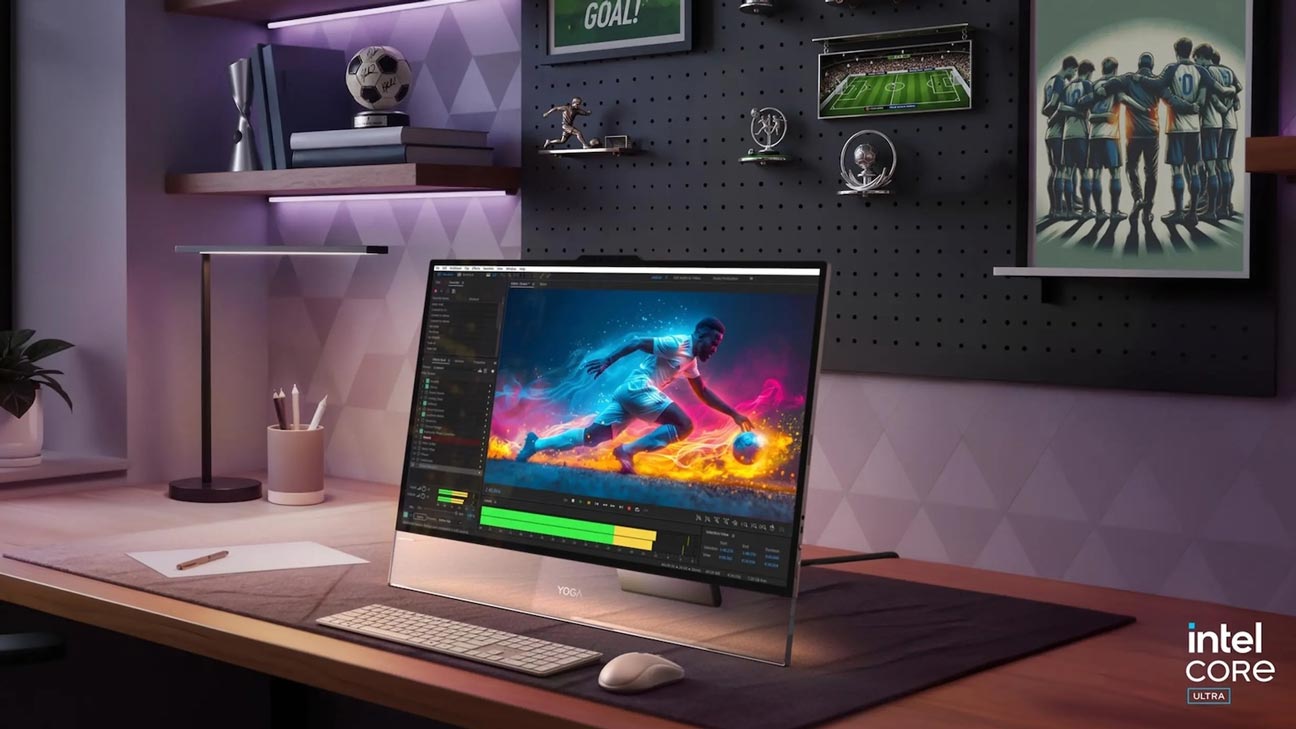
All-in-one PCs combine the components of a traditional desktop into a single unit, eliminating the need for a separate tower and multiple cables. This streamlined design saves space and reduces clutter, making it ideal for smaller environments or minimalist setups.
These PCs often feature sleek and modern designs, with thin displays and minimalist profiles. They can enhance the visual appeal of your workspace or home, blending in seamlessly with your decor.
Setting up an all-in-one PC is usually straightforward. You just need to plug in the power cord and possibly a few other peripherals, and you’re good to go. There’s no assembly required for separate components, unlike traditional desktop setups.
All the essential components, such as the CPU, GPU, storage, and often speakers and webcams, are built into the monitor. This integration can simplify maintenance and upgrades.
All-in-one PCs can be more user-friendly for those who aren’t tech-savvy or don’t want to deal with the complexity of multiple parts. They offer a unified, cohesive system that’s ready to use right out of the box.
Many all-in-one PCs cater to various needs, from everyday tasks to high-end gaming or creative work. There’s a wide range of models available, allowing you to find one that suits your specific requirements.
Here we have created a list of the 10 Best All-in-one PCs in 2026, which will help you pick out the perfect All-in-one desktop for your specific needs.
1. Apple iMac 24-inch (2025)
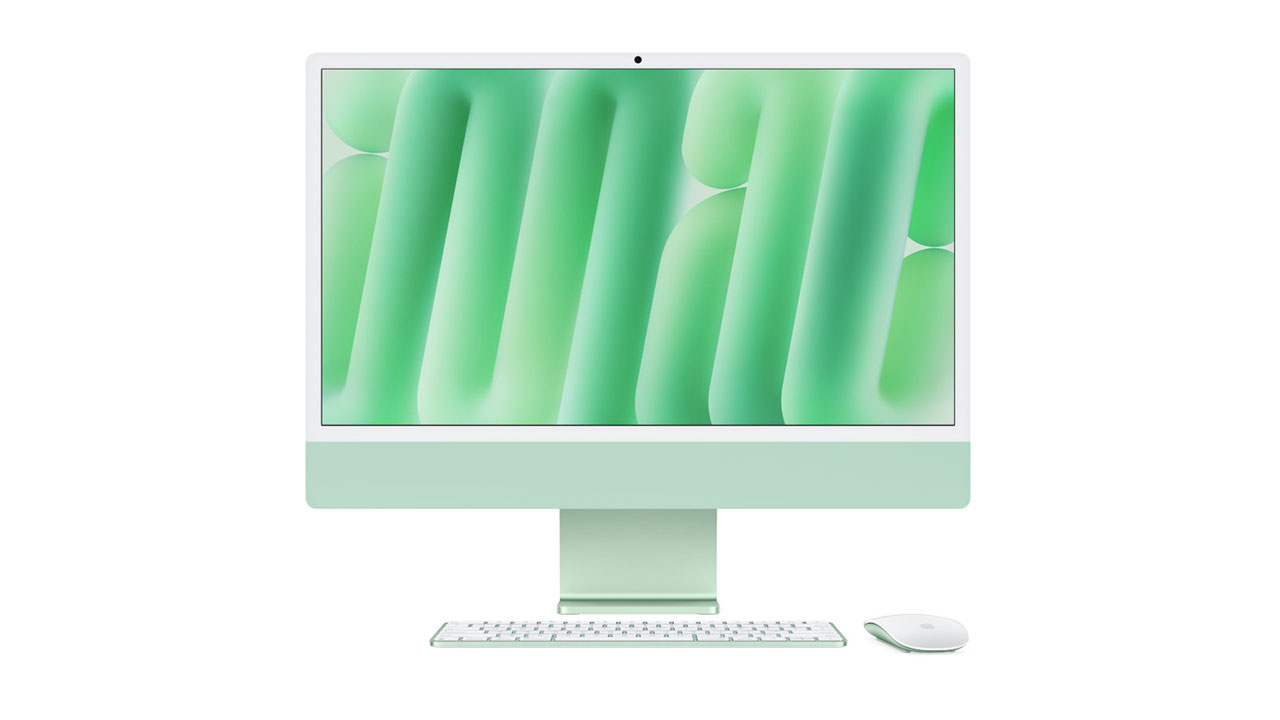
Best for: Creative professionals, graphic designers, video editors
Pros
- Stunning 4.5K Retina display with excellent color accuracy
- Powerful Apple M4 chip with major performance and AI gains
- Ultra-slim, minimalist design
- Excellent build quality
- Long-term macOS software support
Cons
- macOS ecosystem dependency
- Limited upgradeability
Apple continues its clean and minimalist design language with the iMac 24-inch. The 2025 refresh brings the M4 Apple Silicon, offering noticeable gains in performance, AI acceleration, and energy efficiency over M3.
The Retina display remains one of the best in any all-in-one, with improvements in brightness, contrast, and color consistency. While ProMotion is still reserved for higher-end displays, animations and scrolling feel smoother thanks to system-level optimizations.
Connectivity includes Thunderbolt / USB-C ports, Wi-Fi 6E, and Bluetooth 5.3. Running the latest macOS, the iMac remains one of the most reliable, polished, and visually appealing desktops you can buy in 2026.
2. Microsoft Surface Studio 2+
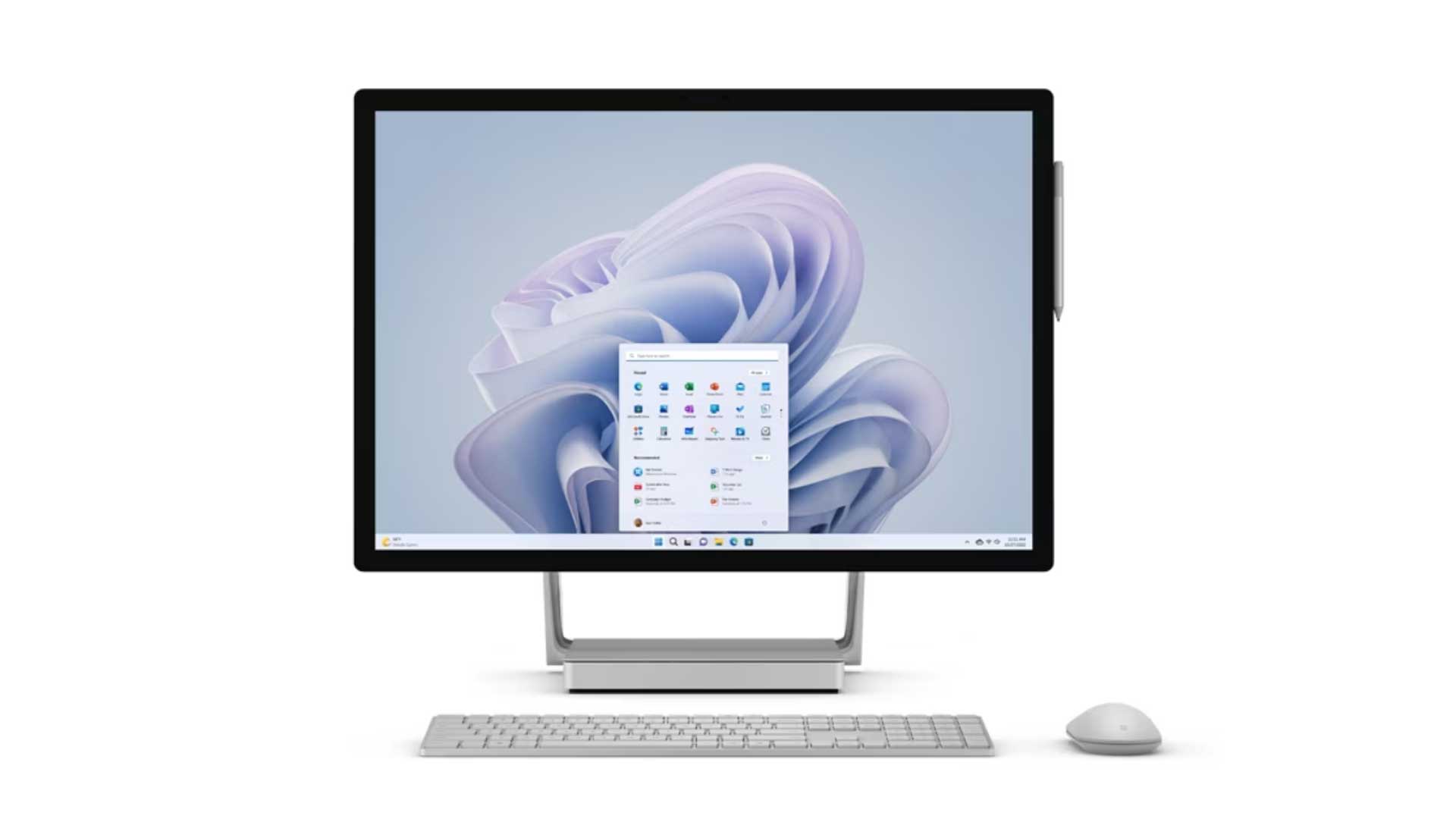
Best for: Digital artists, designers, creative professionals.
Pros
- PixelSense display provides excellent color accuracy.
- Unique adjustable design for a versatile creative workspace.
- Powerful internals suitable for graphics-intensive tasks.
- Integrated Windows Hello for biometric login.
Cons
- Higher price point, especially for higher configurations.
- Limited upgradeability.
- Less port variety compared to some competitors.
The Surface Studio 2+ boasts a beautiful 28-inch PixelSense display with a high resolution and excellent color accuracy. Whether you’re a creative professional working on graphic design, video editing, or other visual tasks, the display provides a crisp and vibrant canvas.
The Surface Studio 2+ features a unique and innovative design with a flexible hinge that allows you to use it as a traditional desktop or tilt it down to a nearly flat angle for a more natural and immersive drawing experience with the Surface Pen. This flexibility makes it an excellent choice for artists, designers, and anyone who values a versatile workspace.
Equipped with powerful processors, dedicated graphics, and enough RAM, the Surface Studio 2+ is built to handle demanding tasks. Whether you’re running resource-intensive applications, multitasking, or even gaming, this device can provide a smooth and responsive experience.
Microsoft is known for its attention to design and build quality. The Surface Studio 2+ is no exception, featuring a sleek and premium build that adds a touch of sophistication to your workspace.
The Surface Studio 2+ supports Surface Pen for precise drawing and note-taking, and the Surface Dial for a unique way to interact with your creative projects. These accessories can significantly enhance your creative workflow.
Sure, it’s an expensive device, but if you’re serious about your creative game, the Microsoft Surface Studio 2+ is like having an art studio right on your desk. It’s more than a computer – it’s a canvas waiting for your masterpiece.
3. Dell Inspiron 27 All-In-One
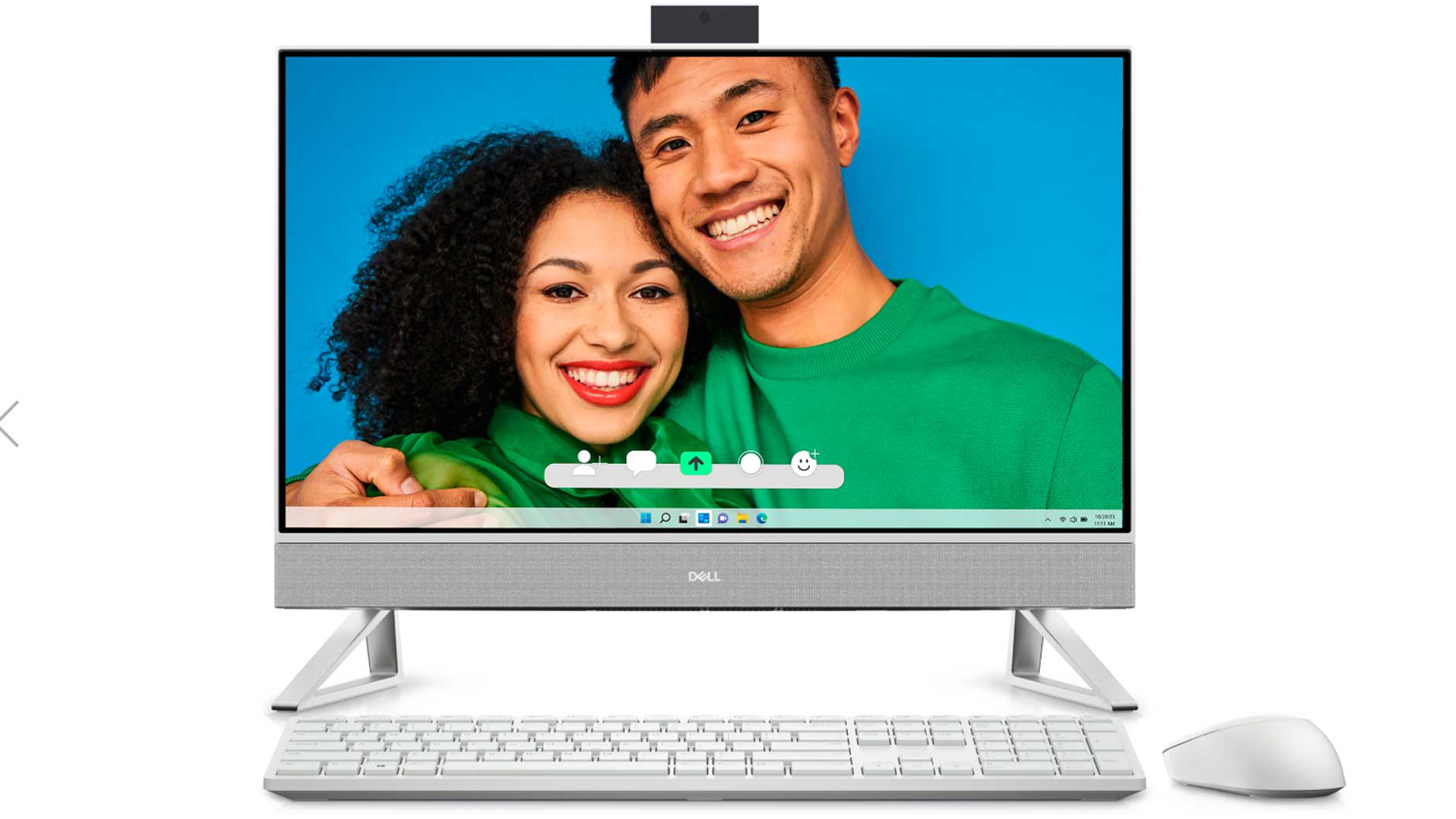
Best for: Home use, productivity, media consumption, casual gaming
Pros
- Large 27-inch display with slim bezels
- Reliable everyday performance
- Good port selection
- Solid build quality
- Strong speakers
Cons
- Integrated graphics only
- Display still capped at FHD/QHD
The updated Dell Inspiron 27 All-in-One continues Dell’s proven design philosophy, focusing on reliability, simplicity, and everyday performance. Its slim profile and modern aesthetics make it a good fit for both home and office environments, while the all-in-one form factor helps reduce desk clutter and setup complexity.
Performance-wise, the Inspiron 27 is built to handle daily workloads comfortably. Powered by modern Intel processors, it performs well for multitasking, web browsing, document editing, video streaming, and light creative tasks such as photo editing or basic content creation. While it relies on integrated graphics, overall system responsiveness remains smooth for its target audience.
The large 27-inch display is one of its strongest highlights. It offers ample screen space for productivity, making it easier to work with multiple windows side by side. The visuals are sharp and vibrant enough for media consumption, presentations, and casual entertainment, even though it does not target professional-grade color accuracy or gaming performance.
Audio quality is another area where the Inspiron 27 stands out. The Waves MaxxAudio Pro–tuned speakers deliver clear and immersive sound, which enhances movie watching, music playback, and video calls without the immediate need for external speakers.
Finally, Dell’s long-standing reputation for build quality and after-sales support adds to the Inspiron 27’s appeal. It is a dependable and well-balanced all-in-one PC that suits families, students, and home-office users who want a large display, solid performance, and peace of mind from a trusted brand.
4. HP OmniStudio X
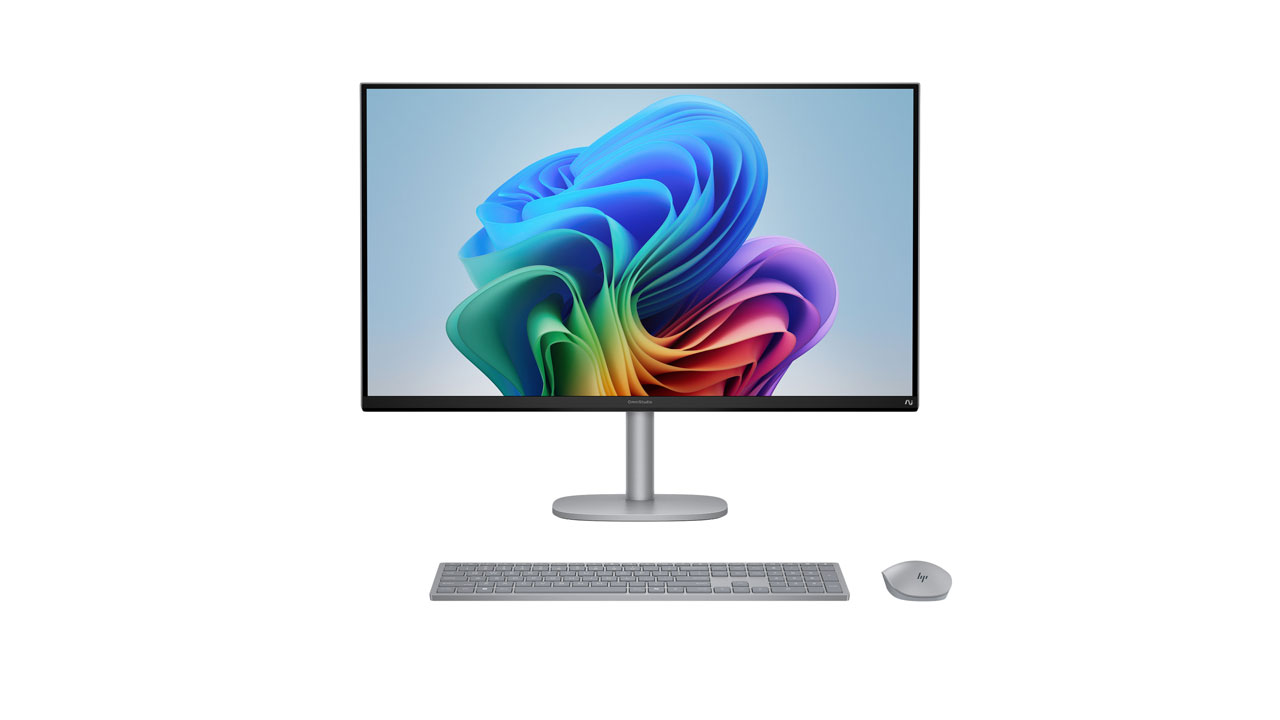
Best for: Entertainment lovers, creators, and power users.
Pros
- Massive ultra-wide 31.5-inch 5K/4K display
- Excellent speakers
- AI-accelerated hardware
- Modern premium design
Cons
- Large footprint
- Not touch-enabled
Replacing the older Envy 34 lineup, the HP OmniStudio X represents HP’s most advanced and ambitious all-in-one desktop to date. It is designed as a premium solution for users who want desktop-class performance without the clutter of a traditional tower-and-monitor setup.
The standout feature is its large ultra-wide 34-inch display, which offers ample horizontal space for multitasking. This makes it especially well-suited for video editing timelines, working with multiple applications side by side, and immersive media consumption. The high resolution ensures sharp visuals, while the wide aspect ratio significantly boosts productivity.
Under the hood, the OmniStudio X is built around modern AI-focused processors, delivering strong performance for demanding workloads. Tasks such as content creation, heavy multitasking, data processing, and creative applications run smoothly, making it suitable for professionals who need consistent power throughout the day.
HP has also focused on enhancing the overall multimedia experience. The built-in speakers are tuned for clear and rich audio, eliminating the immediate need for external speakers for most users. Combined with the large display, it works exceptionally well as both a work machine and an entertainment hub.
5. Lenovo Yoga AIO i Aura Edition
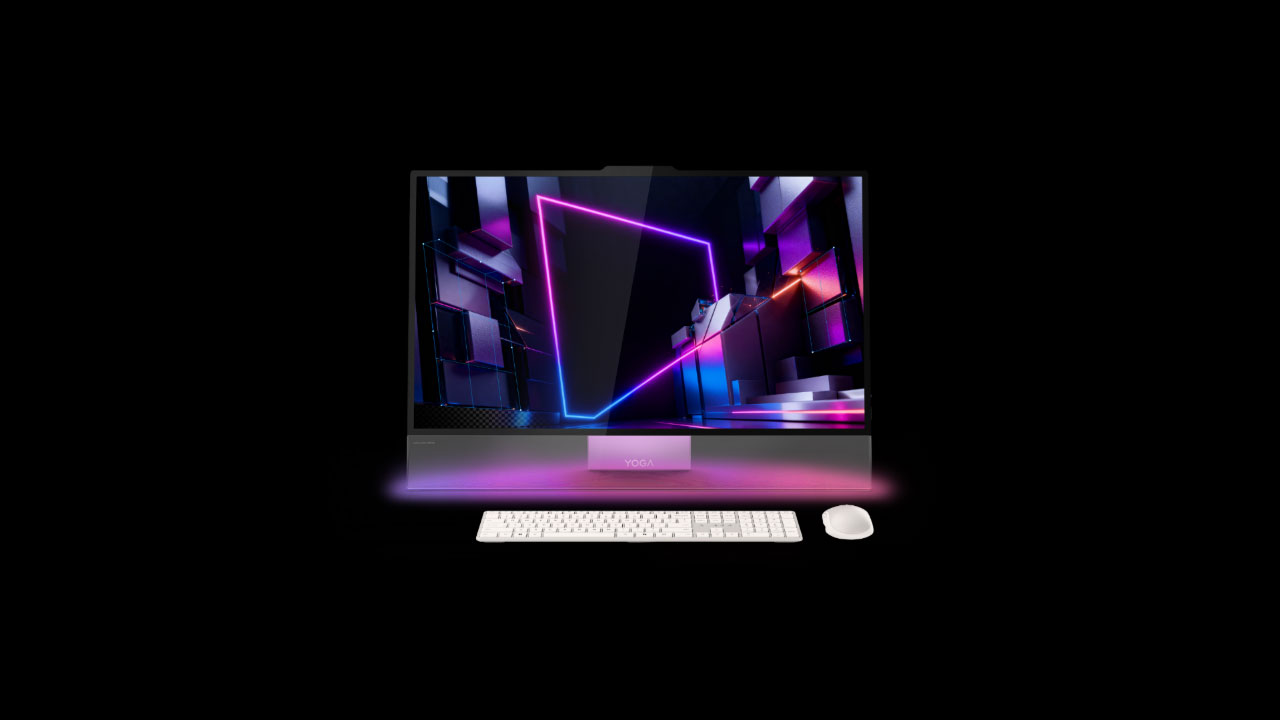
Best for: Artists, content creators, designers
Pros
- Large 4K OLED display with high refresh rate
- Adjustable hinge and creative controls
- Strong performance
- Stylish, futuristic design
Cons
- Premium pricing
- Limited upgrade options
The Lenovo Yoga AIO i Aura Edition is Lenovo’s most creator-centric all-in-one desktop to date, designed with a clear focus on visual quality and workspace aesthetics. Its OLED display delivers deep blacks, vibrant colors, and excellent contrast, especially for designers, photographers, and content creators who rely on accurate visuals.
One of its standout features is the adjustable hinge, which allows the screen to tilt smoothly into different positions. This makes drawing, sketching, and hands-on creative work feel far more natural compared to traditional fixed AIOs. The added ambient lighting subtly adapts to your surroundings, enhancing both mood and desk presence without being distracting.
Performance is another strong point. Equipped with modern high-end processors and fast storage, the Yoga AIO i Aura Edition handles multitasking, creative software, and demanding workloads with ease.
Overall, this all-in-one is built for users who want more than just raw power. It blends strong performance with thoughtful design touches. It’s a modern creative workstation with productivity, style, and personality in a single setup.
6. Asus Zen AiO 27 OLED
Best for: Everyday users, light creators, casual gamers
Pros
- Excellent audio tuning
Cons
- Not built for heavy gaming
- Limited GPU power
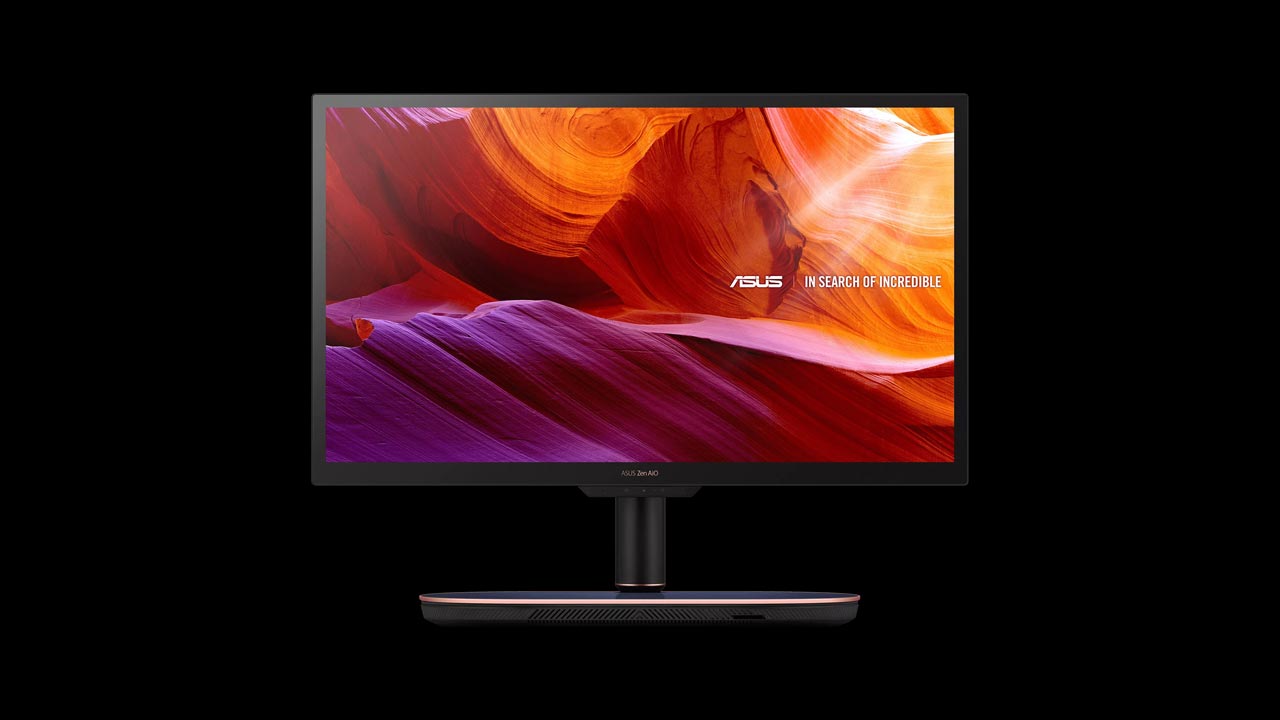
The Asus Zen AiO 27 OLED represents a significant step up for Asus’s all-in-one lineup, thanks to its stunning OLED display. The panel delivers deep blacks, vibrant colors, and excellent contrast, making everyday tasks, media consumption, and creative work far more visually pleasing than on standard LCD AIOs. It’s easily one of the best-looking all-in-one PCs in its segment.
In terms of performance, the Zen AiO 27 is well-balanced rather than overpowered. With modern Intel or AMD processors, it handles daily productivity, multitasking, photo editing, and light creative workloads smoothly. While it’s not built for heavy gaming or demanding 3D work, it offers more than enough performance for most home users and professionals with moderate needs.
Audio is another area where this AIO shines. Asus continues to partner with Harman Kardon, resulting in speakers that sound clearer and fuller than what you usually get in an all-in-one PC. This makes a noticeable difference for video calls, music, and streaming, and removes the need for external speakers altogether.
Overall, the Asus Zen AiO 27 OLED is a strong alternative for users who want premium visuals and good multimedia performance without stepping into Apple’s higher price range.
7. Acer Aspire C27
Best for: General use, productivity tasks
Pros
- A space-saving design ideal for smaller environments.
- Strong performance for general use and productivity tasks.
- The affordable price point for a budget-friendly purchase
- Decent display quality for everyday use.
- Simple and easy setup.
Cons
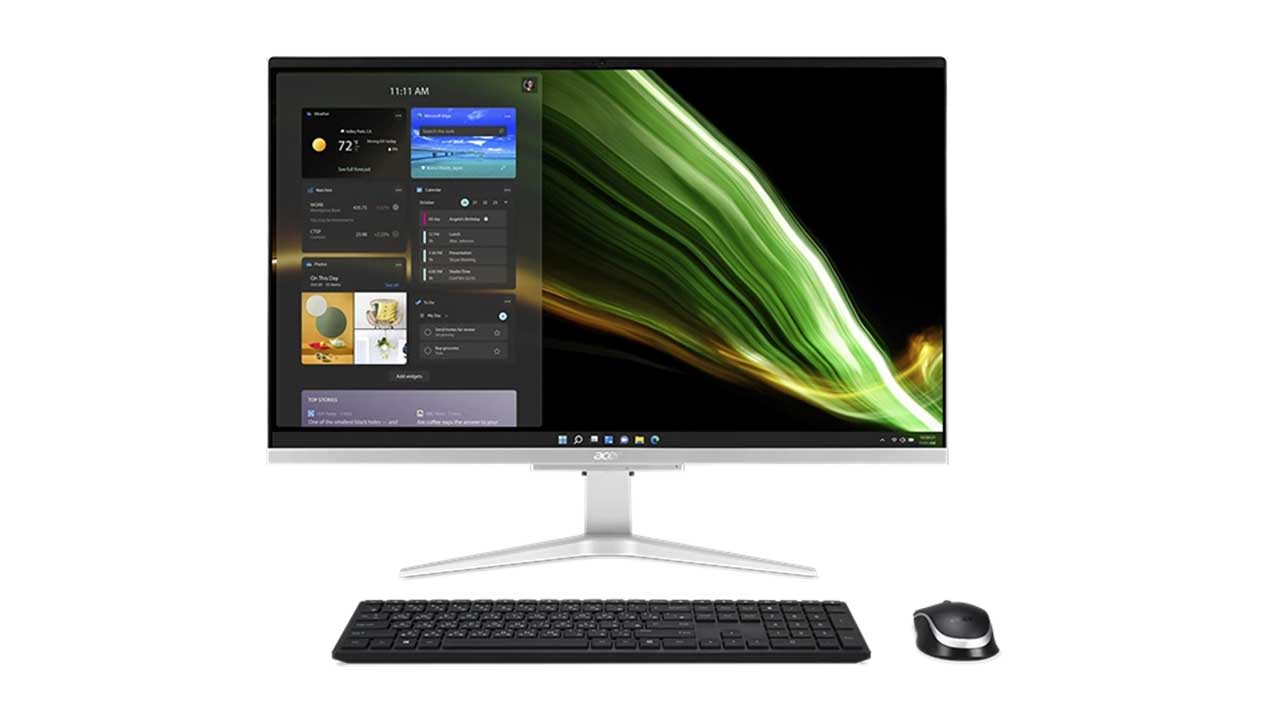
The Acer Aspire C27 is like an all-in-one package deal for your computing needs. Imagine a 27-inch display that not only serves as your screen but also houses all the computer components, so no clunky tower taking up space. Believe us, it’s unbelievably slim and trimmed.
Under the hood, you’ll find different models with either Intel or AMD processors, a decent amount of RAM for smooth multitasking, and various storage options to fit your needs.
It’s a stylish and practical choice for everyday tasks, watching movies, or getting work done without the fuss of a traditional desktop setup.
8. HP Pavilion 27 All-in-One(2025)
Best for: Office work, daily computing
Pros
- Larger display than older Pavilion models
- Budget-friendly
- Dependable performance
- Clean design
Cons
- Basic display
- Limited premium features
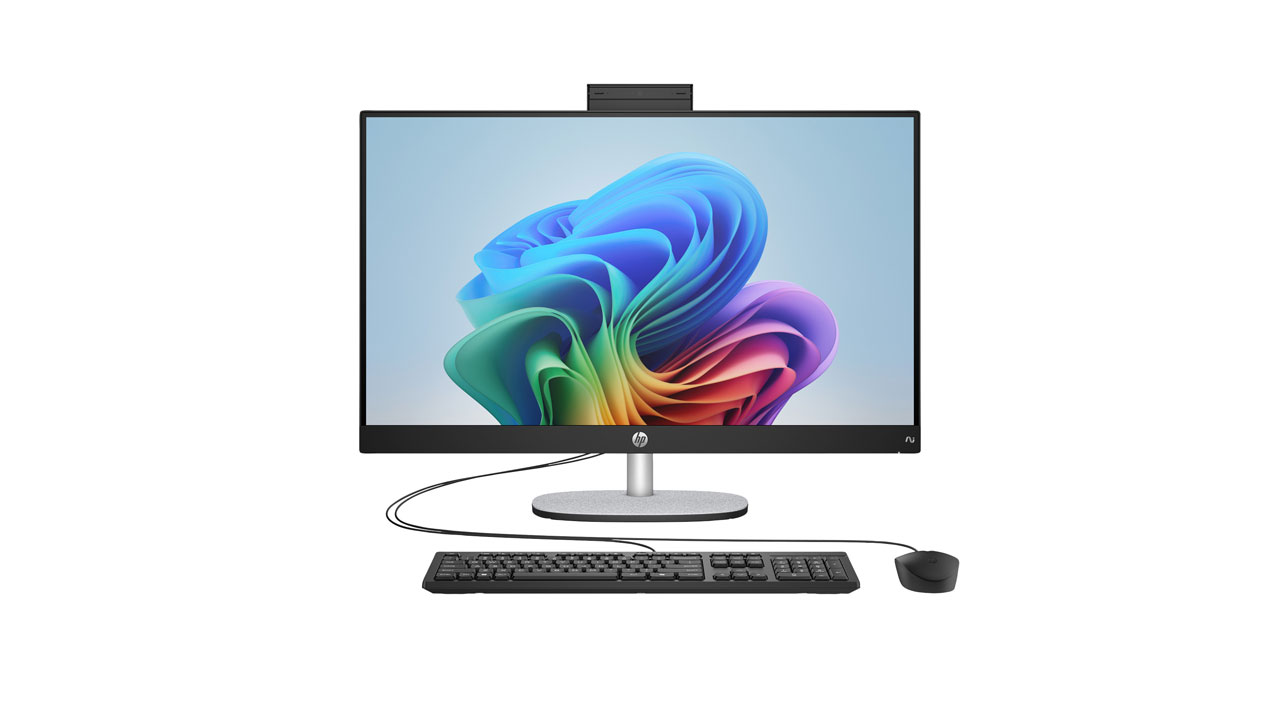
The HP Pavilion 27 builds on the popularity of the Pavilion series by offering a larger display and refreshed internals while keeping the price within reach for most users. Its clean, modern design and slim bezels make it a good fit for home offices, study rooms, or shared family spaces where aesthetics and practicality both matter.
With updated processors and improved system efficiency, the Pavilion 27 handles everyday workloads comfortably. Tasks such as office work, online classes, web browsing, video conferencing, and streaming run smoothly, making it a dependable reliable all-rounder rather than a high-performance machine.
The 27-inch display provides noticeably more screen compared to smaller Pavilion models, which helps with multitasking and long work sessions. While it doesn’t have professional-grade color accuracy or high refresh rates, it offers a pleasant viewing experience for documents, movies, and general use.
9. MSI Modern AM272P
Best for: Multitasking, light gaming, productivity
Pros
- AI-ready processors
- Good value pricing
- Clean, minimalist design
- Solid connectivity
Cons
- 1080p display
- Weak speakers
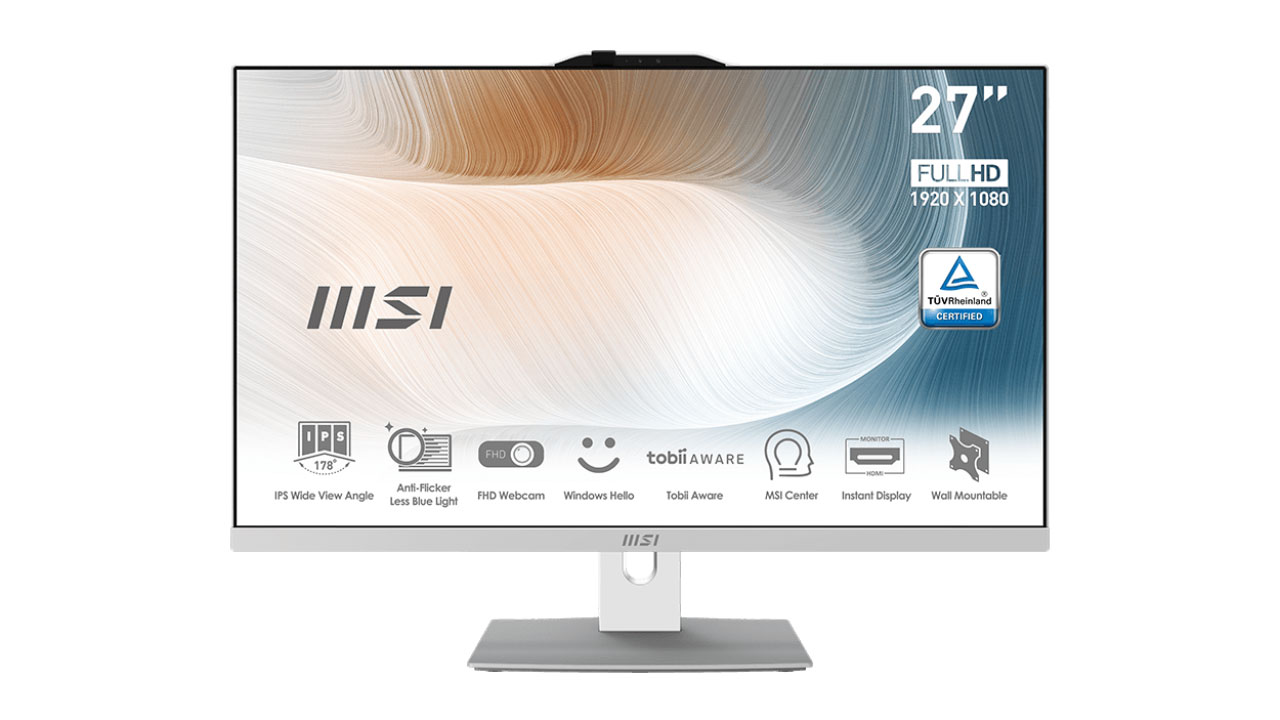
The MSI Modern AM272P reflects MSI’s shift toward efficiency-focused, AI-ready all-in-one desktops. Instead of chasing flashy design elements, MSI prioritizes practicality, performance stability, and everyday usability. The clean, minimalist chassis makes it a good fit for offices, home workspaces, and professional environments.
At its core, the system uses newer Intel processors with AI-accelerated capabilities, which help improve responsiveness during multitasking, background processes, and everyday workloads. Tasks like document management, web browsing, video calls, and productivity software run smoothly.
The 27-inch Full HD display may not sound impressive on paper, but it performs better than expected. It is bright, color-accurate, and comfortable for extended use, which matters more than raw resolution for office work and productivity. While it’s not meant for high-end creative work, it’s perfectly adequate for general visuals and media consumption.
Overall, the MSI Modern AM272P works best as a laptop replacement for users who want a larger screen, better ergonomics, and consistent performance. It avoids unnecessary extras and instead delivers a balanced, efficient all-in-one experience for professionals and everyday use.
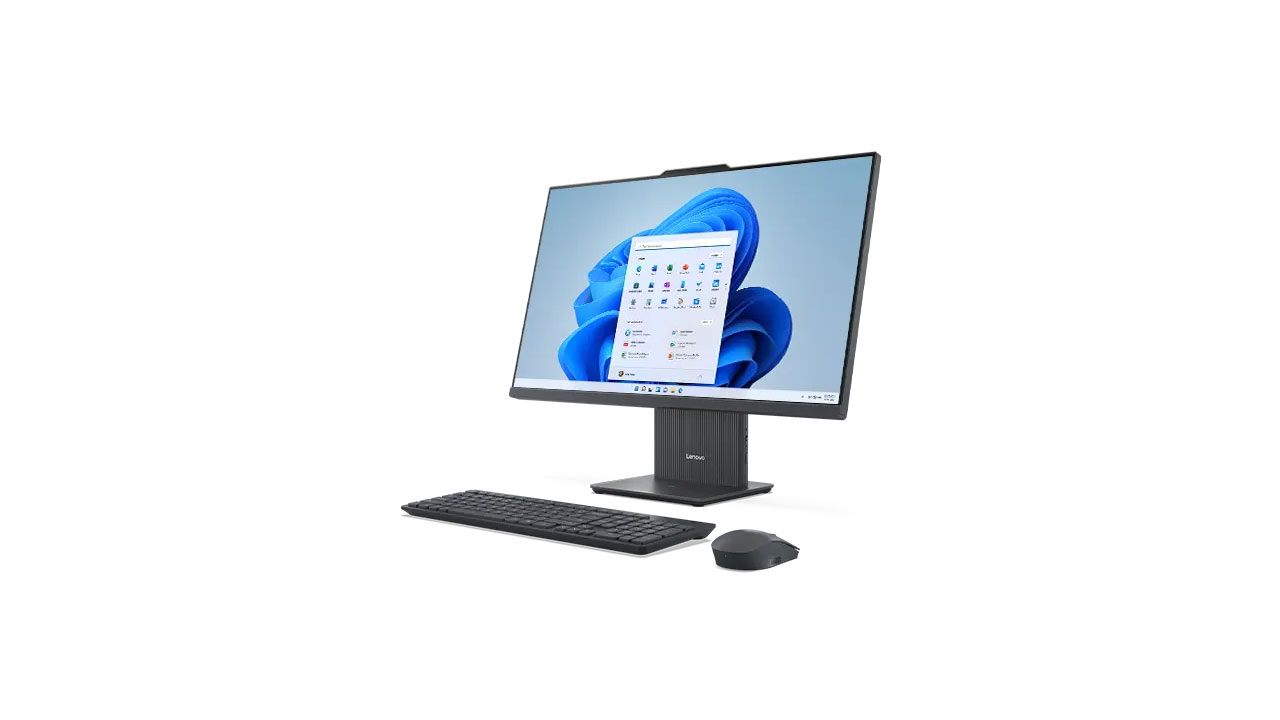
10. Lenovo IdeaCentre AIO i Gen 9
Best for: Affordability, everyday use
Pros
- Modern design
- Good performance for daily tasks
- Competitive pricing
- Lenovo reliability
Cons
- Not for heavy creative work
- Average display
The Lenovo IdeaCentre AIO i Gen 9 continues Lenovo’s value-driven philosophy while refining it with a more modern design and updated internals. It features a clean, minimalist look with slim bezels that fit well in home setups, study rooms, or shared family spaces. The all-in-one form factor keeps desks tidy and makes setup quick and hassle-free.
Performance is well-suited for everyday computing needs. With newer Intel processors, fast SSD storage, and sufficient RAM options, the AIO i Gen 9 handles common tasks such as web browsing, online classes, office work, media streaming, and light multitasking smoothly. It’s not designed for heavy creative workloads or gaming, but for daily use, it feels responsive and reliable.
The display offers a comfortable viewing experience for long work or study sessions. While it doesn’t focus on ultra-high resolution or professional color accuracy, it provides good brightness and clarity for documents, video calls, and entertainment. The larger screen size also helps with productivity by allowing multiple windows to be used side by side.