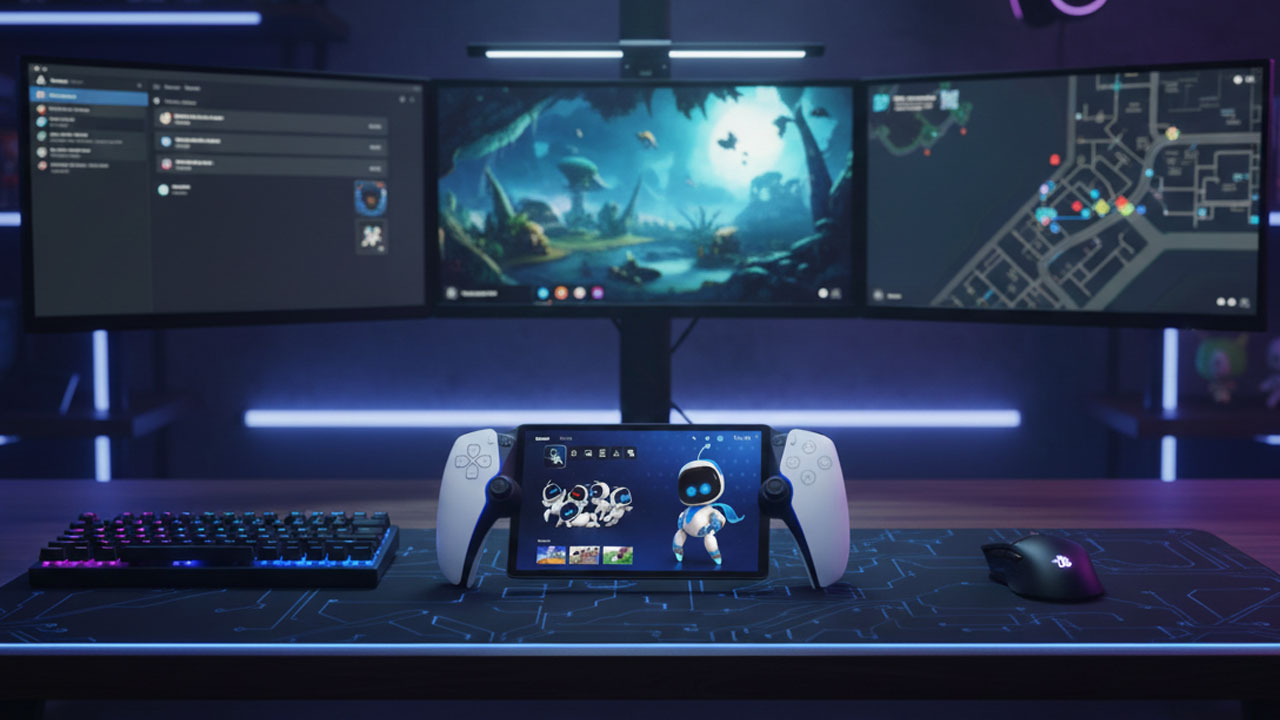
I recently got my hands on the PlayStation Portal and used it for a few days. Here’s my honest, full-on review of this portable gaming console.
Okay, so if you’re like me and expected a Switch-style portable that runs games natively, pause. The Portal isn’t that. It’s essentially a dedicated remote play device for your PS5. Think of it as a DualSense controller built around an 8-inch 1080p screen, streaming your PS5 games over Wi-Fi at up to 60 FPS.
So yes, it feels like a legit piece of cool hardware the moment you pick it up. But its purpose is super specific: play your PS5 games away from your TV.
Design & Build: Sony nailed the feel
Honestly, I was shocked at how comfy this thing is. It’s basically a DualSense controller with a bright, sharp screen in the middle, so all the good ergonomic you love from Sony’s controllers are right there. The adaptive triggers and haptic feedback carry over, and it just feels right in my hands.
It isn’t super light, around half a kilo, so long sessions can get a bit tiring, but nothing dramatic. There’s also a 3.5 mm jack so you can plug in headphones without extra adapters.
Display & Performance
The 8-inch Full HD display looks crisp, vibrant, and honestly better than I expected for streamed gameplay. 1080p at 60 FPS feels silky most of the time, scrolling menus, fast action, cutscenes, whatever.
Here’s the big twist, though: this thing lives and dies by your Wi-Fi. If your network dips, you’ll see compression artifacts, stutter, or lag spikes. In my local home Wi-Fi, it was mostly smooth, but I definitely noticed it more than on my TV.
Battery Life
Battery life is… kinda all over the place depending on how you use it. Some folks clock 3–4 hrs with brightness up and haptics on, others report closer to 5–6 hrs at moderate settings.
My own experience? Around 4 hrs when I was jamming with brightness high and audio up. If you’re chill-modeing it with lower brightness, you can definitely squeeze more out of a charge. Doesn’t blow away Nintendo handhelds, but it’s solid enough for a few long sessions.
Charging is USB-C, and fast enough; a phone charger will top it up pretty quickly.
Features
What I genuinely love about the PlayStation Portal is how effortless it feels once you start using it. It’s incredibly comfortable to play on, especially if you’re already used to the DualSense; your hands just settle in naturally.
There’s also something super underrated about not having to deal with phone clips, third-party controllers, or glitchy remote play apps. You turn it on, connect, and you’re in. The native DualSense features really shine here, too; adaptive triggers and haptics make games feel exactly the way they do on the TV, which honestly surprised me in the best way.
That said, a few things definitely bug me. The biggest one is that it still only streams games and doesn’t run anything natively, which makes it feel limited when you compare it to devices like the Switch or Steam Deck.
Bluetooth audio being completely missing is another weird and frustrating choice; unless you’re using wired headphones or Sony’s own ecosystem, you’re basically out of luck.
And while performance is great on a strong network, the experience can fall apart pretty fast if your Wi-Fi isn’t rock solid, with noticeable dips in quality and responsiveness when the connection struggles.
Cloud Streaming (Newest Update)
One of the coolest changes in the last year: Sony added cloud streaming for PlayStation Plus Premium users, meaning you don’t even need your PS5 turned on to play some games.
That’s massive; it’s more than just “remote play around the house.” It’s closer to a true handheld experience, but you actually have to pay for subscriptions, which is kinda unfair given you already paid for the console itself.
Is It Worth It?
When it comes to whether the PlayStation Portal is actually worth buying, it really sits in that awkward but honest “this is not for everyone” category, and price plays a big role here, especially in the US. At $199.99, it’s not outrageously expensive for a Sony device, but it’s also not cheap enough to impulse-buy unless you know it fits your lifestyle.
If you already own a PS5, constantly fight for TV time at home, and have fast, stable Wi-Fi, the Portal makes a lot of sense. It genuinely feels great to use, gives you proper DualSense controls in a portable setup, and lets you keep playing without hogging the main screen.
But if you were hoping for a Switch-style handheld that plays games natively, or you don’t even own a PS5 yet, the value drops fast, especially once you factor in subscriptions for cloud streaming. And if your internet connection is unreliable, that $200 starts to feel way harder to justify.
Basically, at its price, the Portal is a great buy for the right PlayStation fan and a very easy skip for everyone else.
Final Words
The PlayStation Portal is a dope niche accessory. It’s not the next PS Vita or Switch killer. It is the best way Sony has made to play your PS5 games away from your TV with real DualSense controls and a comfy portable design.
For what it’s trying to do, remote play, it works really, really well. But because it’s so specialized, you absolutely need to go in with expectations in check. The worst feeling is picking it up, thinking it’s a true handheld console, it’s not. Once you realize it’s basically the most dedicated remote play you can get? It hits differently