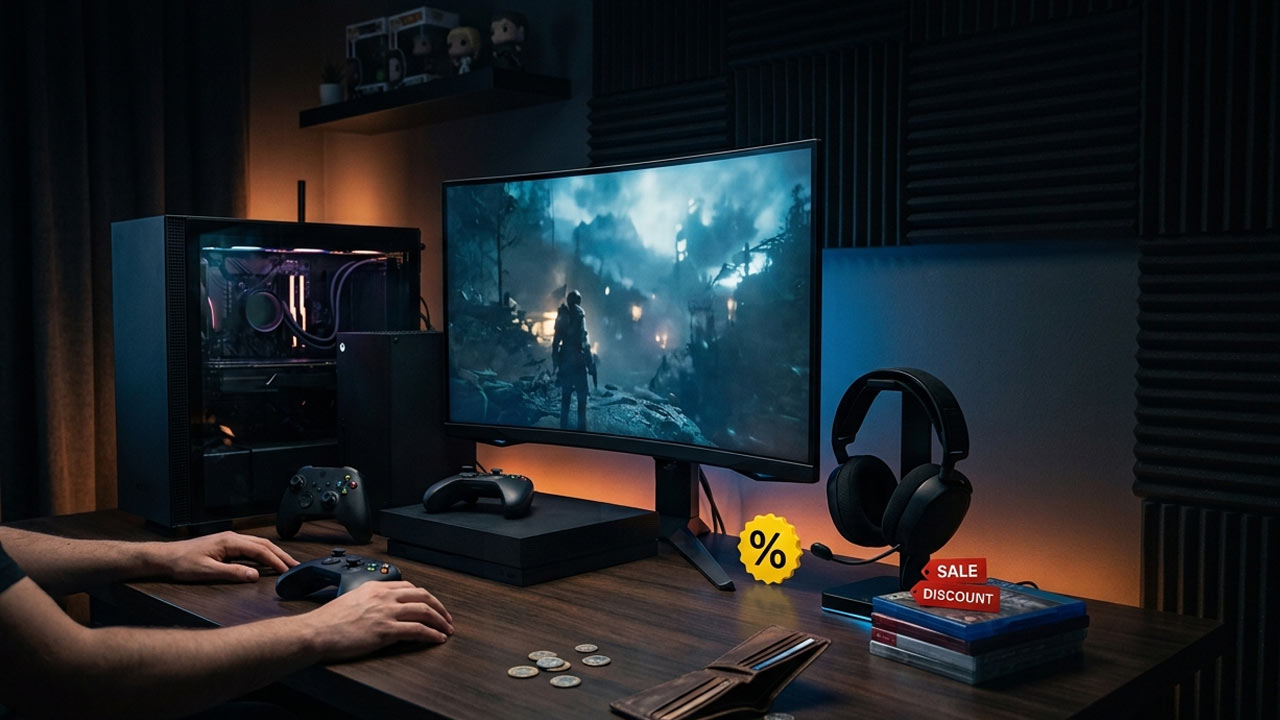
Gaming has never offered more ways to play, but it has also never been harder to keep your gaming budget under control.
New releases can be expensive, deluxe editions add even more to the price, subscriptions keep piling up, and accessories such as controllers, headsets, and storage can quickly turn gaming into a costly hobby.
The good news is that you do not need to stop gaming to spend less. With a little planning, patience and a better understanding of how game pricing works, you can build a large library while spending considerably less.
Here are some of the best ways to save money as a gamer in 2026.
Stop Buying Every Game at Launch
One of the easiest ways to reduce gaming expenses is also one of the hardest for many gamers: stop buying every game on release day.
Launch prices are usually the highest prices you will pay for a game. Unless you specifically want to play a game immediately or want to participate in the launch conversation, waiting a few months can give you significant discounts.
This is particularly useful for single-player games. Once you have finished one game, there is little reason to immediately buy another full-price release when your backlog already contains dozens of games.
Waiting also gives you time to see whether a game is actually worth buying. Reviews, performance reports, and player feedback can reveal technical problems or disappointing content before you spend your money.
Build a Gaming Backlog and Actually Use It
A huge game library is not necessarily a sign of a good deal if you never play the games you purchase.
Instead of buying games simply because they are discounted, look at the games you already own. You may have several excellent titles sitting unfinished in your library.
A useful rule is to finish or substantially play a few games before buying more. This turns your existing library into entertainment you have already paid for rather than constantly adding new expenses.
The goal should not be to own every game. The goal should be to get as much entertainment as possible from the games you already own.
Take Advantage of Major Sales
Sales are one of the biggest advantages gamers have when trying to reduce their spending. PC and console storefronts regularly discount older games, expansions and complete editions.
Steam, PlayStation Store and other digital storefronts frequently run seasonal and publisher sales.
PlayStation’s storefront, for example, regularly features substantial discounts, with recent sales including games discounted by 50%, 60%, 70% or more.
Rather than buying a game immediately, add it to your wishlist and wait for a discount. This is especially effective for games that are not new releases.
However, do not let the word “sale” trick you into spending money you would not otherwise spend.
A game discounted by 70% is still an unnecessary purchase if you were never interested in playing it.
Buy Complete Editions Instead of DLC Separately
If you know you want a game with multiple expansions, waiting for a complete, gold, or ultimate edition can sometimes provide better value.
Publishers frequently bundle the base game with expansions and downloadable content after a game has been on the market for some time.
Buying everything together during a sale can be significantly cheaper than purchasing the base game at launch and every piece of DLC separately.
This strategy works particularly well for games designed around long-term expansion plans.
Use Game Subscriptions Carefully
Game subscriptions can be excellent value, but only if you actually use them.
Xbox Game Pass, for example, provides access to a large library, with certain plans offering day-one releases.
Xbox’s current Game Pass lineup also includes additional benefits and access to games across supported platforms.
PlayStation Plus similarly offers monthly games, online multiplayer, exclusive discounts and, depending on the plan, access to a large Game Catalogue and game trials.
The important part is to calculate the value for yourself. If you subscribe for a year but only play two or three games, buying those games individually during a sale may be cheaper.
On the other hand, if you regularly play several games from a subscription library, the subscription can save a considerable amount of money.
Do Not Keep Every Subscription Active
This is one of the most overlooked ways to save money.
You do not need Xbox Game Pass, PlayStation Plus, multiple PC game subscriptions, and several other services running simultaneously.
Instead, subscribe when you actually need the service. If a particular month has several games you want to play on Game Pass, subscribe for that period and then reconsider whether you need to keep paying afterward.
The same approach works for online multiplayer subscriptions and other gaming services.
A few small monthly payments can easily become a surprisingly large annual expense.
Try Games Before Buying Them
Whenever possible, use demos, trials, free weekends, or subscription libraries before purchasing a game.
PlayStation Plus Deluxe, for example, includes game trials that let subscribers try certain games before buying them.
This can prevent one of the worst gaming purchases: spending a significant amount of money on a game only to discover that you do not enjoy it.
On PC, Steam also has a useful refund policy. Eligible games can generally be refunded within 14 days of purchase as long as you have played them for less than two hours.
That does not mean you should treat refunds as a free trial system, but it provides some protection against purchases that simply do not work for you.
Look at Older Games
You do not always need the newest release to have a great gaming experience.
Games that are one, two, or even five years old can offer hundreds of hours of entertainment, and their prices are usually much lower than at launch.
Older games can also receive complete editions containing previously released expansions and additional content.
For players who care more about having fun than playing everything immediately, this is one of the most effective ways to stretch a gaming budget.
Consider Physical Games When They Make Sense
Digital games are convenient, but physical copies can sometimes provide another way to save money, particularly on consoles.
Physical games can be purchased second-hand, borrowed from friends or family, and sometimes resold after you finish them. This can significantly reduce the effective cost of playing a game.
This strategy depends heavily on your region and the availability of a second-hand market, so compare physical and digital prices before purchasing.
Do not assume that physical is always cheaper, though. Digital storefront sales can sometimes offer much larger discounts.
Buy Used Games
For gamers with access to a reliable second-hand market, used games can be an excellent option.
A game does not become less enjoyable simply because somebody else owned the disc first.
If you are buying a single-player title that you plan to finish once, purchasing it used and reselling it afterward can dramatically reduce the total cost.
Before buying, check the condition of the disc and make sure the game does not depend on an online activation code that has already been redeemed.
Share Games Where Officially Supported
Some platforms offer legitimate game-sharing or console-sharing features.
If you live with family members or share a console with someone you trust, check the platform’s official rules to see what sharing options are available.
This can prevent multiple people in the same household from unnecessarily purchasing the same game.
However, avoid buying or sharing accounts through unofficial marketplaces. Saving money is not worth risking your account, personal information, or purchased games.
Take Advantage of Free Games
You do not have to spend money every time you want something new to play.
The Epic Games Store continues to offer free games on a regular basis, with its official store currently advertising a new free game every Thursday on PC and mobile.
There are also numerous free-to-play games available across PC and consoles. Popular titles such as Fortnite, Rocket League, VALORANT and several other games have free base versions.
Free-to-play does not automatically mean completely free, however. Cosmetics, battle passes and other optional purchases can become expensive if you are not careful.
Set yourself a spending limit and treat paid items as optional rather than necessary.
Avoid Unnecessary Deluxe Editions
Publishers increasingly offer Standard, Deluxe, Ultimate and Collector’s editions of the same game.
Before spending extra, ask yourself what you are actually receiving.
If the additional content consists mostly of cosmetic items, digital art books or other extras you do not care about, the standard edition is usually the better choice.
Waiting can also make premium editions more attractive because their prices often fall during later sales.
Be Careful With Microtransactions
A game that costs nothing to download can become extremely expensive if you constantly purchase in-game items.
Battle passes, character skins, loot-style purchases, currency packs and limited-time cosmetics are designed to encourage repeated spending.
Set a monthly entertainment budget and decide how much, if anything, you are willing to spend on a particular free-to-play game.
Most importantly, do not feel pressured by limited-time offers. Missing a cosmetic item does not mean you are missing part of the actual game.
Buy Controllers and Accessories Less Frequently
Games are not the only part of the gaming budget.
Controllers, headsets, keyboards, mice, charging docks, storage drives and other accessories can add up quickly. Avoid replacing equipment simply because a newer model has been released.
If your current controller works properly, your headset sounds good, and your storage is sufficient, there may be little reason to upgrade.
When you actually need a replacement, compare prices and look for sales rather than buying the first accessory you see.
Upgrade Your Storage Strategically
Storage upgrades are another area where gamers can overspend.
Instead of immediately buying the largest and most expensive SSD available, consider how much storage you actually need.
If your console or PC supports multiple drives, you can also keep less frequently played games on cheaper storage and reserve faster storage for games you regularly play.
Before purchasing an SSD, make sure it is compatible with your platform and meets the required specifications.
Use Your PC or Console for Longer
Hardware upgrades are often more expensive than games themselves.
If your PC can still run the games you enjoy at acceptable settings, there is no need to upgrade every generation. Lowering a few graphics settings can often extend the useful life of existing hardware.
Console players can apply the same philosophy to accessories and displays. A new generation of hardware may offer improvements, but that does not automatically make your existing setup obsolete.
Do Not Chase Every New Release
One of the biggest sources of unnecessary gaming expenditure is FOMO, or the fear of missing out.
Every month brings new games, expansions, and special editions. It is impossible to play everything, and trying to do so can turn gaming into a constant spending cycle.
Choose the games you genuinely care about and ignore the rest.
There is nothing wrong with playing a game six months after launch. In many cases, you will get a better version with patches, additional content, and a much lower price.
Set a Monthly Gaming Budget
The simplest way to control gaming expenses is to establish a specific budget.
For example, decide how much you can comfortably spend on games, subscriptions, and accessories each month. Once you reach that limit, wait until the next month.
You can also divide your budget between new releases and discounted games. This gives you room to occasionally buy something at launch without allowing expensive releases to consume your entire entertainment budget.
The exact amount depends on your income and other expenses. The important thing is having a limit.
Track Your Spending
It is surprisingly easy to underestimate how much you spend on gaming.
A single game here, a battle pass there, followed by a discounted DLC pack and a new controller can turn into a significant amount over a year.
Keep track of your gaming purchases for a few months. Include games, subscriptions, DLC, microtransactions, accessories, and upgrades.
Once you see the actual number, it becomes much easier to identify where you can cut costs.
The Best Gaming Budget Is the One You Actually Follow
Saving money as a gamer does not mean avoiding every new release or refusing to spend money on the hobby.
It is about making your purchases more intentional.
Wait for sales when you can, use subscriptions when they provide genuine value, take advantage of free games, consider used physical copies, avoid unnecessary upgrades, and make better use of the games you already own.
Most importantly, do not confuse spending more with getting more enjoyment. A $20 game that you play for 50 hours can provide far more value than a $70 game that you abandon after a weekend.
Gaming can be expensive, but it does not have to be. With a little patience and planning, you can keep playing the games you love without letting your gaming budget get out of control.