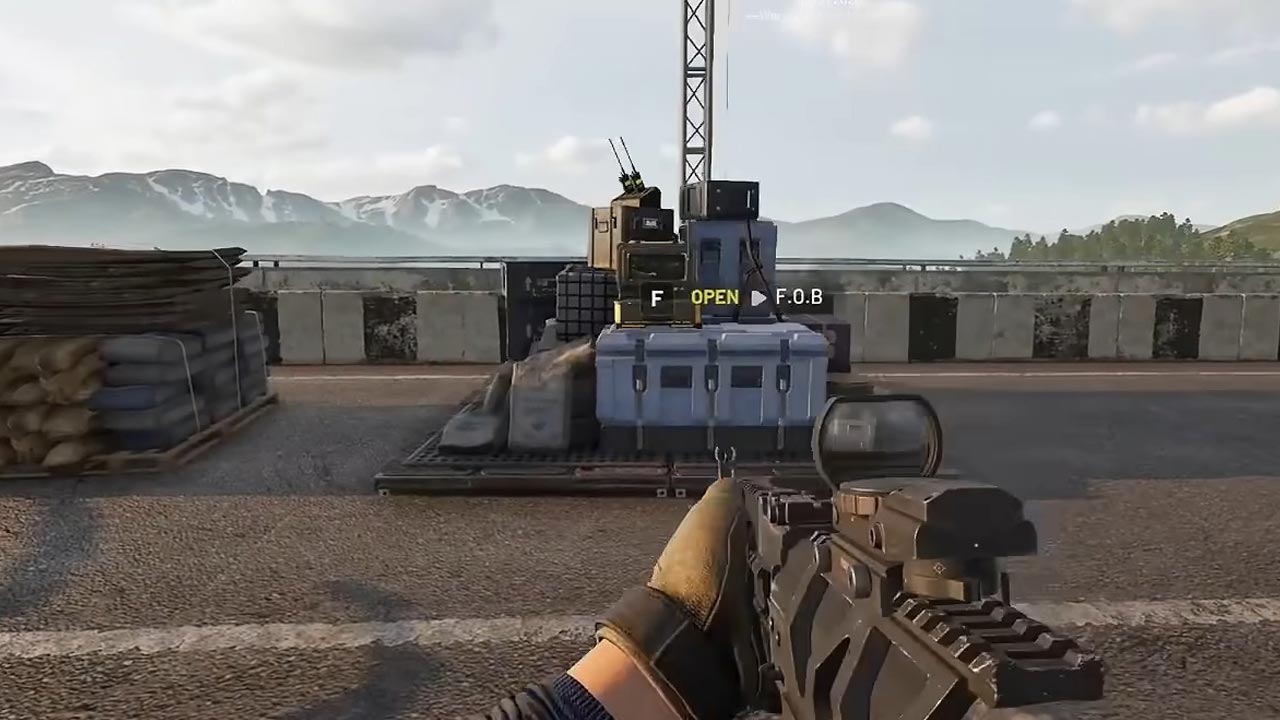
Forward Operating Bases (FOBs) are important locations in Wardogs that can make exploring the battlefield, completing missions, and managing your operations much easier. Using these bases can help you spend less time traveling and more time focusing on objectives.
This guide covers what FOBs are, how to find them, and how to make the most of them during your campaign.
What is a FOB in Wardogs?
A Forward Operating Base is a player-deployed field position that creates an area for your team to construct fortifications and other structures.
It is designed to support operations closer to the active battlefield.
The FOB is useful when your squad needs to shorten travel time, protect a supply route, or establish a defensible position near the Control Zone.
How to build a FOB
Follow these steps to establish a forward base:
- Purchase the FOB: Visit the equipment vendor and acquire the Forward Operating Base item. The FOB occupies inventory space, so make sure you have room for it and the equipment needed for construction.
- Choose a location: Find a position that is close enough to support your squad but has cover from enemy fire. Avoid placing it in exposed open ground or somewhere the enemy can easily surround.
- Deploy the FOB: Equip the item and use its placement control to deploy it in a suitable location. The buildable area is displayed on the map after deployment.
- Bring construction supplies: Coordinate with teammates to transport the resources needed for building. Trucks and helicopters can help move supplies to the forward position.
- Construct fortifications: Use the appropriate building equipment to place walls, defenses, and other structures within the FOB’s build area.
Best places to build a FOB
The best FOB location is one that supports the team’s next objective while remaining practical to supply and defend.
Behind natural cover
Build near a ridge, treeline, or buildings that provide protection from direct enemy fire. Natural cover makes the base harder to spot and attack.
Near a reliable supply route
Leave enough room for vehicles to reach and unload supplies. A base that cannot be resupplied will quickly lose its value.
Close to the active battlefield
Position the FOB where it reduces travel time to the Control Zone without putting the entire base directly in the enemy’s line of fire.
How to defend your FOB
Building a base is only the beginning. Enemy teams can attack and destroy structures, so your FOB needs protection and regular attention.
- Protect the approaches: Watch the roads and open areas leading toward the base. These are likely routes an attacking squad will use.
- Build useful defenses: Add fortifications and defensive emplacements where they protect important access points. Avoid spending all your resources on unnecessary structures.
- Keep supplies moving: Coordinate with logistics players to maintain a steady flow of construction and other required supplies.
- Watch for enemy attacks: If the FOB comes under pressure, communicate with your squad and prioritize protecting the structures that keep the position useful.
FOB tips for beginners
Build with a purpose. Place your FOB to support an objective, supply route, or defensive position.
Start small and construct the most important defenses first instead of wasting resources on a huge base.
Coordinate with logistics players. A well-placed base is useless if nobody can deliver the supplies it needs.
Adapt to the Control Zone. If the battle moves away from your FOB, consider whether maintaining the position is still worth the resources.
Don’t assume every FOB is a spawn point. The FOB primarily serves as a logistics and building hub, with spawn support handled separately.
FOBs are a key part of the strategic gameplay in Wardogs. The best players don’t simply build the biggest base; they build where it matters, keep it supplied, and adapt their position as the battle changes.