Just a Scratch is a short main story mission in Chapter 1 of Grand Theft Auto 6, featuring Jason Duval.
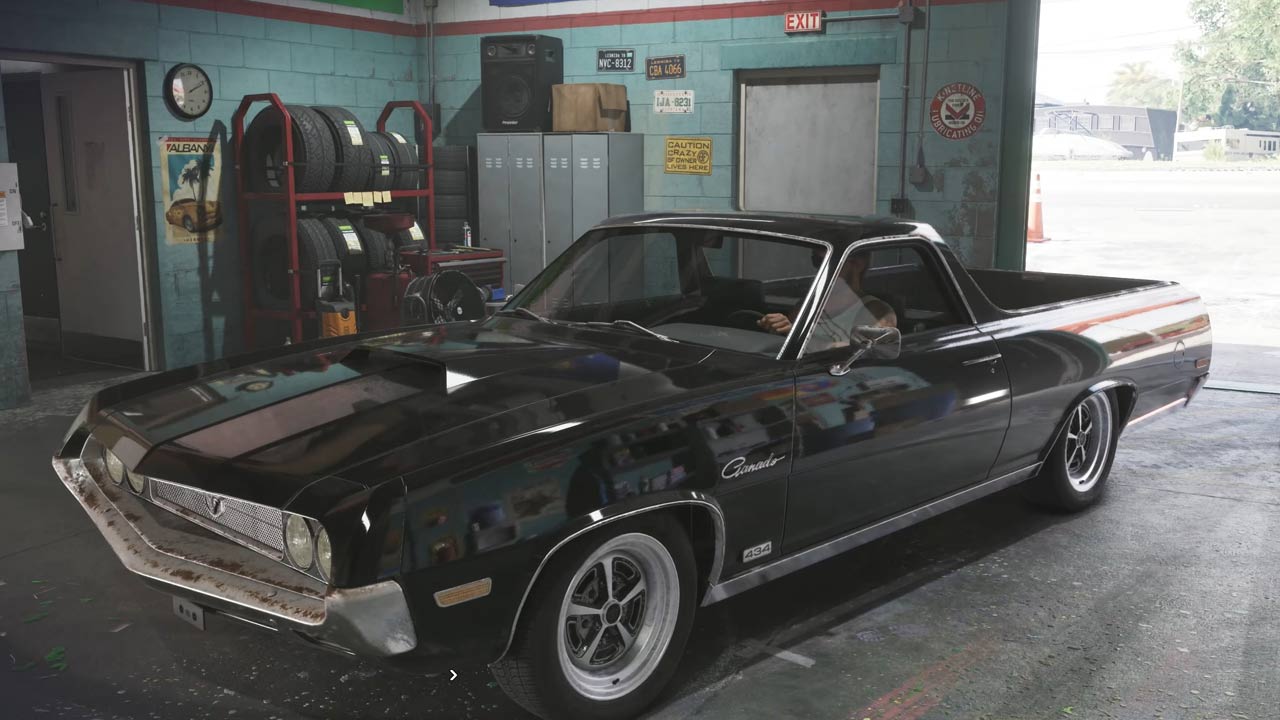
In this mission, Jason takes his damaged Ganado to Joey at Coastal Auto Care for repairs.
It also introduces the vehicle modification and repair system to you so you can fix your car and change its appearance.
Unlike some of the earlier missions, Just a Scratch does not involve combat or difficult objectives. You simply need to drive to the garage, speak with Joey, and complete the required repairs.
Just a Scratch Mission Details
| Detail | Information |
|---|---|
| Game | Grand Theft Auto 6 |
| Chapter | Chapter 1: Just Like Paradise |
| Mission | Just a Scratch |
| Playable Character | Jason Duval |
| Main Character | Joey |
| Location | Coastal Auto Care, Key Lento |
| Mission Type | Main Story |
| Reward | Free engine repair and respray |
How to Complete Just a Scratch in GTA 6
The mission revolves around repairing Jason’s damaged vehicle. Follow the steps below to complete it.
1. Drive to Coastal Auto Care
After the mission begins, get into Jason’s personal vehicle, the ’70 Ganado, parked outside his house. Open the map and set a waypoint to Coastal Auto Care in Key Lento.
Drive to the marked location and head towards the garage. If you have already destroyed the Ganado, create a manual save and reload it. The vehicle should respawn outside Jason’s house.
2. Talk to Joey
Once you reach Coastal Auto Care, look for Joey standing outside the garage. Approach him and interact to start a conversation.
After the conversation, Joey will open the garage. Get back into the Ganado and drive it inside the workshop.
3. Repair the Engine and Get a Respray
Inside the garage, you will get access to the vehicle modification menu. You need to repair the engine and change the car’s paint colour to complete the mission.
First, open the Performance section and select Full Engine to restore the engine. The repair is free during this mission.
Next, open Cosmetics and select Respray. Choose any colour you like and apply it to the Ganado.
Once both changes are complete, leave the garage. A short interaction with Joey will follow, bringing the mission to an end.
Just a Scratch Mission Tips
Although this is one of the easiest missions in Chapter 1, there are a few things worth knowing.
Don’t spend too much money on upgrades: The Ganado will remain Jason’s personal vehicle for the rest of Chapter 1, but it gets replaced later in the story. Any money spent on additional upgrades will effectively be wasted.
Choose any paint colour: The respray does not affect the story or future missions. You can select whichever colour you prefer.
Get the free Ultimate Edition upgrade: If you own the Ultimate Edition, visit Pro Builds and open Full Kits to claim the free Retro Build for the Ganado. This is optional and does not affect mission completion.
Remember Joey’s contact: After completing the mission, Joey becomes available in your phone contacts. You can call him later for vehicle towing and delivery services, with the charges going to Brian’s account.
Just a Scratch Mission Rewards
Completing Just a Scratch unlocks the following.
- Free engine repair for Jason’s Ganado
- Free vehicle respray
- Access to vehicle repair and customization services at Coastal Auto Care
- Joey added to Jason’s phone contacts
There are no difficult combat encounters, collectibles, or special choices to worry about during this mission.
Frequently Asked Questions
Is Just a Scratch mandatory in GTA 6?
Yes. Just a Scratch is a main story mission required for story progression and 100% completion.
Can you choose any colour for the Ganado?
Yes. You can select any of the available free respray colours during the mission. Your choice does not affect the story.
Can you skip the car repair in Just a Scratch?
No. You must restore the engine and apply a respray to complete the mission.
Does Just a Scratch have any combat sections?
No. The entire mission focuses on driving, talking to Joey, and repairing Jason’s vehicle.